Product
Crew Time app tour: construction timesheets in action
15 minutes, your EBA, no sales script.
Looking for the full picture? See our construction payroll software page.
Interactive demo
Play with the app.
This is CrewTime, how your crew's approved hours get to Employment Hero. No typing, no training. Tap around, clock on, send a timesheet. Switch roles under the phone to see what the foreman and the office see.
- One-thumb timesheets
- Roller time picker, no keyboard
- GPS-stamped approvals
- Roster push to whole crew
- Works offline
- Photo Timesheet CaptureFor sites where phones aren't allowed or provided. Photograph the paper timesheet, review the digital extraction, confirm. The original stays linked to the record for audit purposes. No re-keying, no lost paperwork.
- Site diary & client sign-offRecord equipment, works completed, weather, photos and client sign-off on the same day record as the timesheet, then export a PDF docket per job per day. Read about site diaries
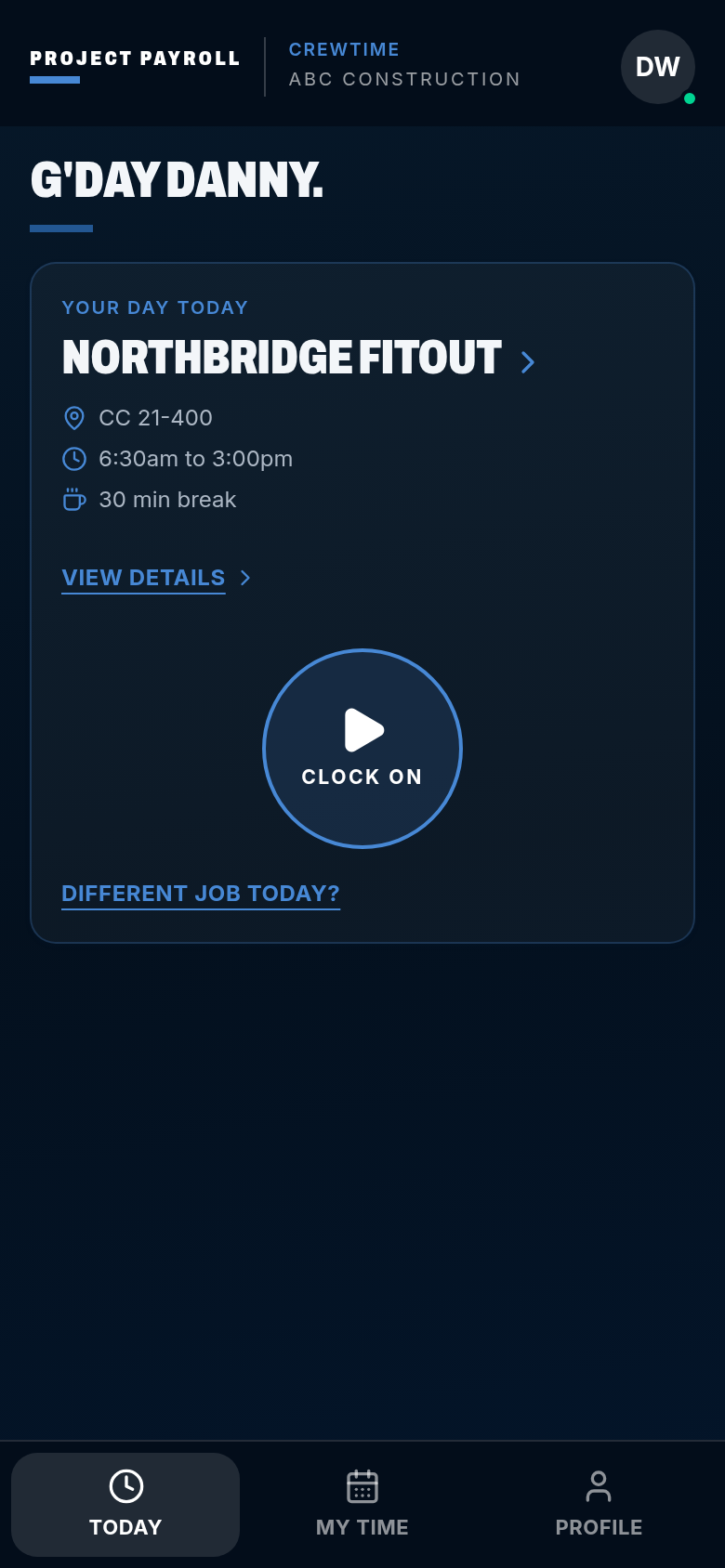
CrewTime
ABC Construction
G'day Danny.
Your day today
Pick a job
- CC not set
- Start when you are on site
- 30 min break
Works with no signal. The punch is stored on the phone and syncs later.
Viewing as
Clock on, send the timesheet
The flow
How do approved hours reach Employment Hero?
- 01
Clock onsite
Phone or site kiosk, works offline and syncs when signal returns.
- 02
Job-costedhours
Every hour coded to job, cost code and work type.
- 03
Dockets andapprovals
Foreman approves the day, client signs the daily docket.
- 04
Award/EBA rulesin EH
Employment Hero calculates penalties, allowances and RDOs from your setup.
- 05
Pay runin EH
Your team runs pay in Employment Hero. We never touch wages.
We can build your award and EBA setup in Employment Hero. Custom quote, book a call.
Four steps
From the roster to Employment Hero.
01
Roster the crew
Plan shifts, jobs and site coverage in Crew Time.
Planning site shifts…
02
Capture the hours
Workers clock on through mobile or kiosk capture. Jobs, cost codes and site notes stay with the timesheet.
Receiving site hours…
03
Approve on site
Foremen check timesheets and condition flags before the office gives final approval.
Checking approvals…
04
Send to Employment Hero
Approved timesheets land in Employment Hero, where your payroll team reviews and runs payroll.
Preparing approved timesheets…
Site timesheets are captured in CrewTime, our own construction timesheet app.
Get started
WANT THIS FOR YOUR CREW?
Tell us about the crew and we'll set CrewTime up against your award or EBA.
15 minutes, your EBA, no sales script.
No lock-in · Published pricing · We reply within one business day
Capability
What does Crew Time cover?
Timesheets
Mobile, kiosk and crew capture with job and cost code context.Rosters
Plan construction crews and shifts across sites.Site approvals
Foreman review and office approval before the Employment Hero handover.Employment Hero setup
Consulting to configure construction classifications, allowances and rules.Award and EBA rebuilds
Read the instrument and test its Employment Hero configuration.Site diary and dockets
Equipment, works, weather, photos and client sign-off linked to the timesheet. Read about site diaries.
Product questions
Who runs payroll?
Your payroll team uses Employment Hero. Project Payroll provides Crew Time timesheets and rosters, plus Employment Hero setup and award or EBA consulting.Custom quote, book a call
Can you help with our agreement?
Yes. We read the award and agreement, rebuild the relevant rules in Employment Hero and help test the configuration.
Do we approve hours before they reach Employment Hero?
Yes. Site review and office approval happen in Crew Time before approved timesheets are handed over.
What about other payroll platforms?
Employment Hero is first. Other payroll platforms are planned for later, not offered as current connections.
Reviewed August 2026. General information about construction time capture and payroll setup.