Construction payroll built around the project, not the pay period.
We read your award and EBA, build the rules into the engine and show the clause behind every pay line. Hours arrive from site already tied to the job and cost code, and super is paid every run.


Synced
Not uploaded
No CSV
Ever
24/7 human
Free support
How we work
Three things you can hold us to
No CSV exports
A clock on becomes a pay line. There is no file to download and re-upload anywhere in the chain.
Job costed on the punch
The job and cost code travel with the hour, so site allowances fire correctly and labour lands on the project before the week closes.
One vendor
One bill. One number to call when a pay line is wrong on a Monday morning.
The project
Why this is called Project Payroll
Generic payroll assumes everyone works the same way. Nobody in construction does. Every builder we have looked at is running an agreement the software was never designed to read, and patching the gap with spreadsheets and someone's memory.
So this is a project, not a product launch. We are building payroll around how these industries actually work, one instrument at a time, in the open.
If something in your pay run is broken, tell us. We read every one and we build the fixes. That is the whole method.
Tell us what is broken. We read every one of these personally and reply within one business day.
Synced, not uploaded
How do approved timesheets reach payroll?
From the clock-on to the cost code, it's one system. Your crew clocks on in CrewTime, our site timesheet app. The foreman approves on site. The award or EBA is interpreted automatically, wages and super are paid in the same run, STP2 is lodged, and costed labour lands on your job codes before the week closes. Already capturing time in Procore? Keep it. Approved timesheets sync straight in. No CSV, no re-key, no Sunday night.
Flow · one system, no CSV
Step 1
Timesheets
Our CrewTime app, or synced from other apps
Step 2
Award & EBA
Interpreting award…
Step 3
Payroll
Paid, STP2 filed
Step 4
Super
Every pay run
Step 5
Job costs
Live to cost codes
Pay-line anatomy
What does one interpreted timesheet line look like?
Expand a single approved line and you can see the interpretation: base, overtime, travel, site allowance and fares, each tagged where the engine applied a clause rather than a person.
- Base hours38.00 hrs @ $38.42, CW3 Level 3$1,459.96
- OvertimeInterpreted automatically4.00 hrs @ 150%, Mon-Fri after 8 hrs$230.52
- Travel allowanceInterpreted automatically5 days @ $19.55, clause 24.1$97.75
- Site allowanceInterpreted automatically38.00 hrs @ $2.90, project schedule$110.20
- FaresInterpreted automatically5 days @ $7.10$35.50
- Gross$1,933.93

Interactive demo
See the app your crew will actually use.
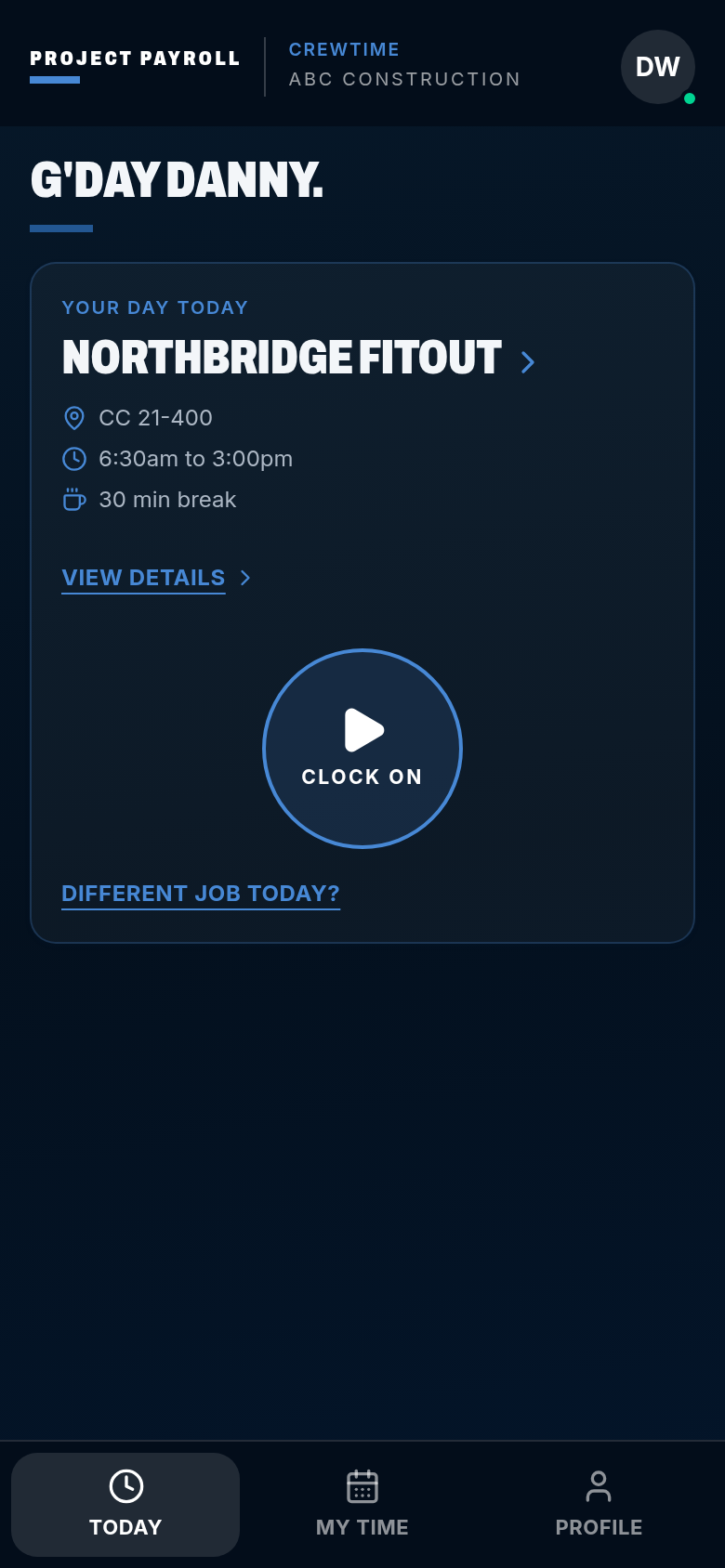
CrewTime is where the hours start: clock on with a thumb, set times on a roller instead of a keyboard, send the timesheet, get it approved on site. This window is a preview of the live app, and the full demo runs every role.
- One-thumb timesheets
- Roller time picker, no keyboard
- GPS-stamped approvals
- Roster push to whole crew
- Works offline
- Photo Timesheet CaptureFor sites where phones aren't allowed or provided. Photograph the paper timesheet, review the digital extraction, confirm. The original stays linked to the record for audit purposes. No re-keying, no lost paperwork.
- Site diary & client sign-offRecord equipment, works completed, weather, photos and client sign-off on the same day record as the timesheet, then export a PDF docket per job per day. Read about site diaries
CrewTime
ABC Construction
G'day Danny.
Your day today
Pick a job
- CC not set
- Start when you are on site
- 30 min break
Works with no signal. The punch is stored on the phone and syncs later.
Live preview, nothing you do here is saved.
Pricing
Three tiers. Work out your price in about a minute.
Payroll is the pay run, CrewTime is the site, Complete is both. Charged per active employee per month, with a one-off setup per employee and $2,500 per EBA we read and build, maintained after that at no extra cost. Award-only crews pay no EBA fee. Tell the calculator what you run today and your numbers come back, or book a walkthrough if you'd rather talk it through.
Switching from MYOB, Xero Payroll, spreadsheets or a bookkeeper? Read the migration playbook.
Onboarding
Get started.
Tell us about your crew. We onboard a limited number of clients each month, so the sooner you're in, the sooner you're live.
Takes 30 seconds. We reply within one business day.
Construction payroll questions
What is construction payroll software?
Construction payroll software calculates pay for project-based crews: award and EBA interpretation, site and travel allowances, overtime and RDOs, job costing to cost codes, payday super and STP2 reporting. Project Payroll runs the lot end to end, hours captured and approved on site in CrewTime, our own timesheet app, or synced in from the site software you already use.
Do you build our EBA into the system?
Yes. We read the agreement, build the rules into the engine, and maintain them as rates, allowances and increments change. The build is $2,500 per agreement as a one-off, and maintenance after go-live is at no extra cost. Award-only crews pay no EBA fee.
How much does Project Payroll cost?
Three tiers, charged per active employee per month. Payroll is the pay run: award and EBA interpretation, STP2, payday super, payslips and job costing. CrewTime is the site: kiosk, mobile timesheets, rostering, approvals, site diary and dockets. Complete is both, and the one we recommend, because capture and pay only work properly together. Setup is a one-off per employee, plus $2,500 per enterprise agreement we read and build, maintained after that at no extra cost. Award-only crews pay no EBA fee. Run the pricing calculator for your own number, or book a walkthrough if you'd rather talk it through.
Is super paid every pay run?
Yes. Super is calculated and paid with wages every pay run and lands in the fund inside 7 business days, which is what payday super has required since 1 July 2026.
Do we still upload timesheets?
No. Your crew clocks on in CrewTime and the foreman approves on site, or approved timesheets sync in from Procore and other site software, jobs and cost codes attached either way. There is no CSV step.
Clauses generalist payroll can't run: minimum weekly super, multi-year rate increases and shift sequence rules.