Construction timesheet comparison
Crew Time vs TimeSite Pro for construction timesheets
15 minutes, your EBA, no sales script.
Construction timesheet app
The crew's day, ready for foreman review
Phone or site kiosk clock-on, jobs attached to time blocks and approvals before the Employment Hero handover.
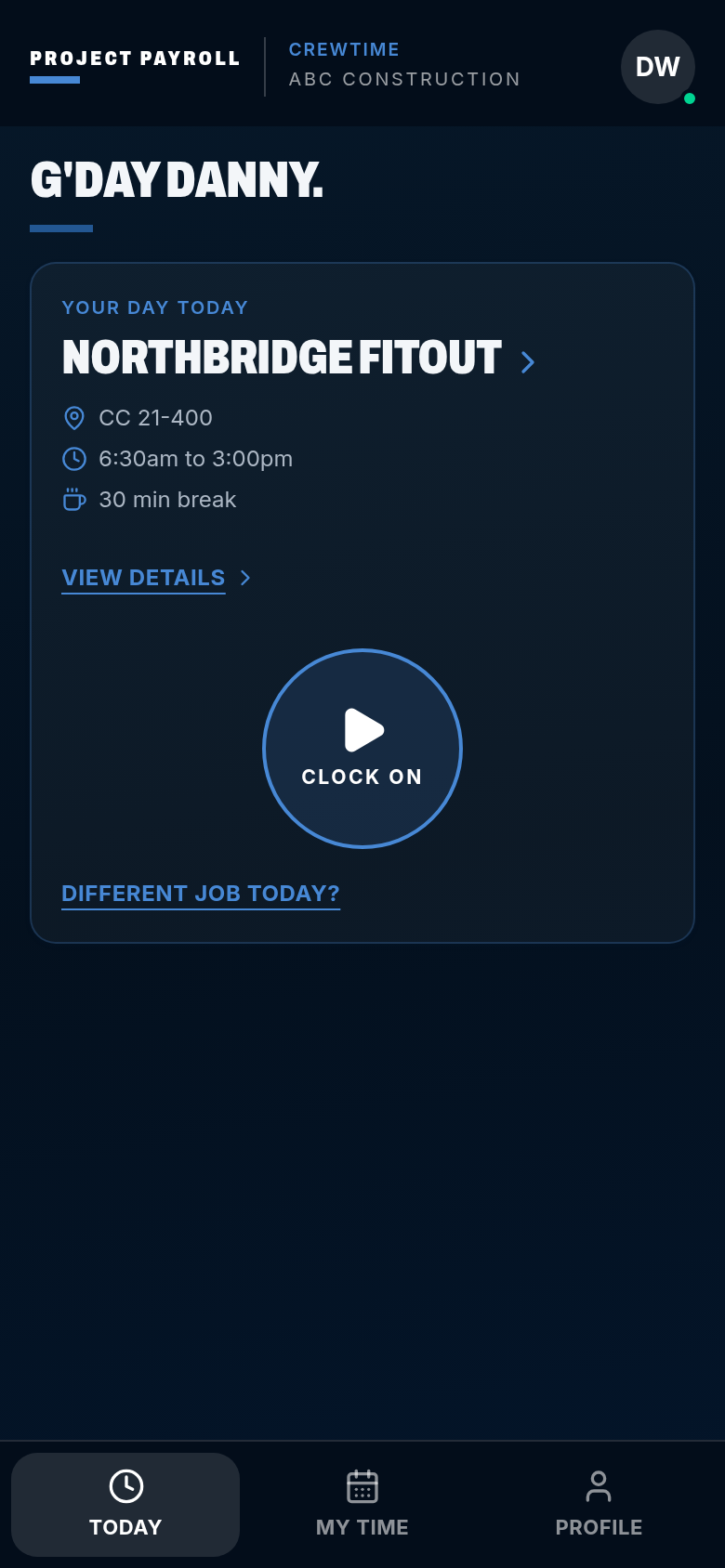
CrewTime
ABC Construction
G'day Danny.
Your day today
Pick a job
- CC not set
- Start when you are on site
- 30 min break
Works with no signal. The punch is stored on the phone and syncs later.
Who each one is for
Compare the workflow your crew needs
Start with site capture, job details and approvals. Then check how approved hours land in Employment Hero. Your payroll setup matters whichever timesheet tool you choose.
TimeSite Pro
TimeSite Pro
- Time billing and invoicing by client and project.
- Project reporting and client timesheet authorisation.
- Review the current Employment Hero connection and construction workflow with TimeSite Pro.
Crew Time
Construction teams on Employment Hero
- Phone or site kiosk clock-on, including offline capture.
- Foreman approval and time split across jobs and cost codes.
- Approved crew timesheets sent to Employment Hero with job, location and work type.
Compared
Crew Time and TimeSite Pro, workflow by workflow
Day-to-day focus
- TimeSite Pro
- Timesheets, time billing, invoicing and project reporting.
- Crew Time
- Site clock-on, crew rosters, foreman approvals and daily site records.
Field capture
- TimeSite Pro
- Mobile time capture, kiosk and an offline mobile mode. Confirm the current device requirements.
- Crew Time
- Phone or site kiosk clock-on, stored offline and synced with its original time.
Award and EBA setup
- TimeSite Pro
- Check how your award or agreement rules are configured in Employment Hero. A timesheet connection alone does not verify those rules.
- Crew Time
- Employment Hero's award interpretation applies your configured rules. We can build and test that setup through consulting.
Site records and client approval
- TimeSite Pro
- Check your current process for diaries, daily dockets, client sign-off and retained photos.
- Crew Time
- Keep works, equipment, weather, photos and client sign-off alongside the crew's day record.
This is a workflow comparison, not a claim that another product lacks a feature. Confirm current features, device requirements and Employment Hero mapping with the supplier before choosing.
Crew Time on site
Construction timesheets into Employment Hero
Clock on where the work happens
Crew Time captures hours by phone or site kiosk. Offline punches keep their original time and sync when coverage returns.
Keep the job with the hours
Split a day across jobs and cost codes. The foreman checks start, finish, breaks and condition flags before office review.
Keep Employment Hero
Approved crew timesheets go to Employment Hero with job, location and work type. Your payroll team runs the pay there. We're an independent add-on, not an official Employment Hero partner.
Set the rules up properly
Employment Hero's award interpretation calculates penalties, allowances and RDOs from your award or EBA setup. We can help build and test that setup. Crew Time does not interpret the award.
More on the capture side in Crew Time, the handover and award interpretation in Employment Hero and the numbers on pricing.
TimeSite Pro comparison questions
Do I need to change payroll?
No. Keep Employment Hero. Crew Time supplies approved construction timesheets and rosters, not payroll.
What should I check with TimeSite Pro?
Check site capture, offline behaviour, approval steps, job and work-type mapping, and the current Employment Hero connection against the way your crew works.
Who applies award and EBA rules?
Employment Hero's award interpretation applies the configured rules. We can build and test your Employment Hero setup through consulting.Custom quote, book a call
What happens if someone misses a clock-off?
Coming soon: Crew Time will ask what happened when someone clocks on at the next job without clocking off the last one, and the foreman will sign it off.
General workflow guide. Confirm current competitor features and integration details with the supplier.
Get started
See how Crew Time fits your sites
Construction timesheets and rosters, foreman approved, with payroll staying in Employment Hero.
15 minutes, your EBA, no sales script.
No lock-in · Published pricing · We reply within one business day